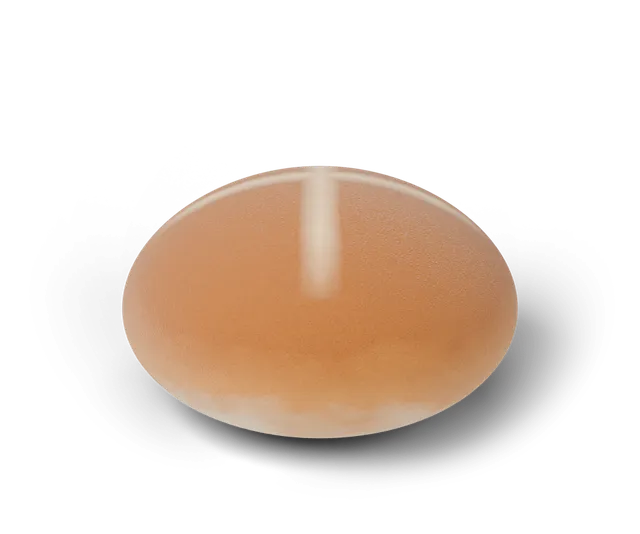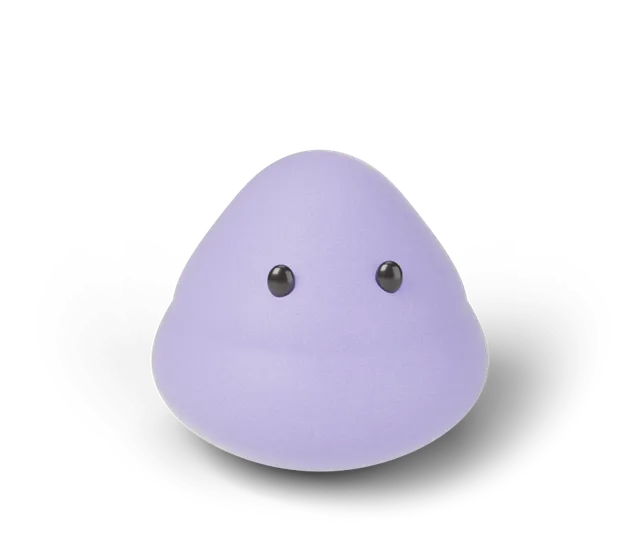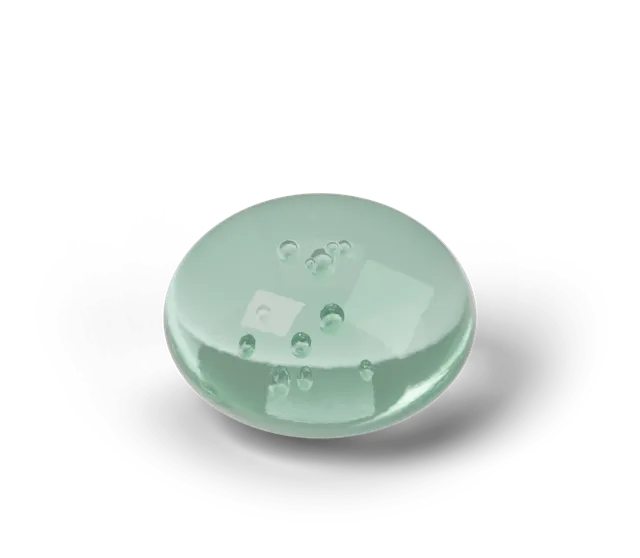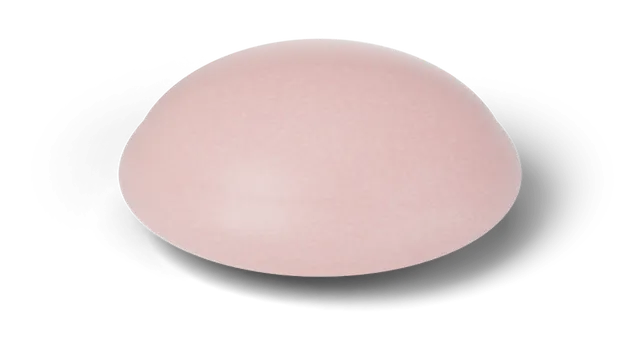
The Daily Squish is a free one-a-day game in your browser. Each day has one shape (bun, mochi or jelly) and one target time between 1.2 and 3.0 seconds. You press and hold the soft 3D shape, let go when you think the time is up, and the game tells you how close you were. Everyone gets the same shape and target on the same date. It runs on a 3D simulation (CG), and your scores stay in your browser.
How does a day of Daily Squish work?
Open the game and you see today's number, shape and target. Press and hold the shape. A timer runs while you hold, and you let go when you think the target has passed. The game rates the gap: Perfect squish, So close, Warm or Try again. After each try the result line also says which way you missed, for example "0.30 s short" or "0.12 s over", or "Dead on" when the gap rounds to nothing. Under the result line a thin ruler shows the same thing as a picture: a dark mark for the target, a colored dot for where you let go, and small gray dots for your earlier tries today, so you can see yourself closing in.
On bun and mochi days there is an extra step (jelly days skip it; see the three shapes compared). After you let go, tap when you think the shape has risen back up. The game compares your tap with how long its own simulation took to rise, so it is a game of timing and never a measurement of a real product.
What counts as a perfect squish?
When you let go, the game compares your hold time with the day's target and names the result. Off by 0.05 seconds or less is a Perfect squish. Up to 0.15 seconds is So close, up to 0.4 seconds is Warm, and anything further is Try again. A Perfect squish sets off a gold burst on the shape, a short chime if the Sound button is on, and adds the day to your Perfect days count. Every counted try ends with a short sound that matches the rating (a soft two-note lift for So close, one soft note for Warm, one low soft note for Try again), quieter than the Perfect chime. Sound starts off, so these tones are silent until you turn the Sound button on.
The Perfect days count is kept in your own browser and counts each date once, however many perfect tries you have that day. There is a free Perfect Squish certificate to print and fill in if you want to mark one. The timing is your own game timing on a 3D simulation (CG), not a test of any product.
Can I share a challenge with a friend?
Yes. After a press, the game can share a link that carries only today's number and your time. Anyone who opens it the same day sees your time and can try to get closer. A line above the squishy says what your friend held and how far off it was. After your own try, a labeled diamond on the timing ruler shows where their hold fell next to yours. You can also record a six second vertical clip of your press, or save your collection book or shelf as an image. Each one is labeled as a 3D simulation (CG), and nothing is uploaded unless you choose to share it. The steps and what the link carries are in how to challenge a friend.
The short video below shows the daily loop in three scenes.
Can I save my result as a picture?
Yes. Once you have a best try for the day, a "Save result card" button appears next to "Challenge a friend". It draws a 1080 by 1350 picture on your own device: the day's number and shape, your rating, how far off you were, your hold time against the target, one small square for each try, and your streak when it is two days or longer. Where your phone can share files it opens the share sheet; otherwise it downloads daily-squish-today.png. Nothing is uploaded, and the card carries a 3D simulation (CG) label. All the ways to share a result are in their own guide. New to the words used here? See Squooshlet words explained.
The squares use the same bands as the ratings: green is a Perfect squish, yellow is So close, orange is Warm and red is Try again. The same squares, as emoji, are added to the text when you share a challenge, so a friend can see how your day went without seeing the numbers.
What do I keep from playing?
Every day you play adds that day's squishy to your shelf, and to a collection book with 15 slots. The game also keeps your best five days and your streak. Under your streak it also shows your closest miss from any day ("Closest ever: 0.04 s off"), and says "New closest ever" on the day you beat it. All of it is saved in your browser on your device, so clearing site data clears it. There is no account, no public leaderboard and no purchase in the game today. In some months a seasonal finish joins the draw: see how seasonal drops work.
You can turn the last seven days into a picture. Under Your best days, "Save my week as an image" makes a 1080 by 1350 card showing which squishy you found each day, how close you got, your perfect days and your streak. The card is drawn on your own device and is never uploaded; your browser either opens its share sheet or downloads the file.
Once you have opened the game at /play/, it keeps working offline, and you can add it to your home screen for one-tap daily play. What is saved and how to add it are in the offline and home screen guide.
What happens if I miss a day or come back later?
Nothing is taken away. Before your first press the game tells you where you stand. If your streak ran through yesterday and is 2 days or longer, it says so ("Your 4-day streak is waiting: one press today keeps it going"), and the home page shows the same reminder. Next to the streak you also see your next goal, which is 3, 7, 14, 30, 60 or 100 days, and your longest streak once it is higher than the current one.
Missing a whole day ends the streak, and your next press starts a new one at 1. If you were away 3 days or more, the game also says "Welcome back" with the number of days, how many squishies are on your shelf and your longest streak. Your shelf, collection book, best days and Perfect days stay as they were. The streak rules are in one place in how the Daily Squish streak works.
The day changes at midnight on your own clock. If you leave the page open overnight and have not played yet, it loads the new day's challenge by itself when you look at it again. If you are in the middle of a hold, practice or a duel, it waits.
Can I practice without changing my score?
Yes. On /play/, tap "Practice mode" to cycle through your own targets: 1.0, 1.5, 2.0, 2.5 and 3.0 seconds, then back to off. In practice mode the page shows your hold and how close you got, with the same bands as the daily challenge, but nothing is counted.
Practice tries do not change today's best, your streak, your shelf or your collection book, and they cannot earn a Perfect day. They also do not go into a challenge link. Switch practice off and today's target is back exactly as it was. More on both modes is in how Practice and Duel mode work. The page keeps a best practice try for the visit only; it is not saved.
The clip below shows three practice tries on a 3D simulation (CG) bun: a Warm, a So close and a Perfect. The times shown are an example.
Can I play against a friend on one device?
Yes. On /play/, tap "Duel mode". Player 1 holds first, then passes the device to Player 2. Both use today's target and the closer hold wins the round. The game keeps a running round count for your visit, and like practice mode, duel tries are never counted toward your streak, shelf or Perfect days. There is a printable duel scoresheet too, and five tips for a Perfect squish if you want to win.
The short video shows two example rounds. The times in it are an example, not real players'.
What are the weekly goals?
Under your shelf on the play page, "This week's goals" shows three small goals that run from Monday to Sunday: play on five different days, land a Perfect squish, and find a look you have not collected before. Each goal ticks itself off from what is already on your shelf, so there is nothing extra to switch on.
When all three are ticked, the week is added to a "weeks completed" tally, and the goals start again on Monday. There is no reward beyond the tick, your goals are not sent anywhere, and they all stay in your browser. Practice and duel tries never count toward a goal.
The short video walks through an example week. Each goal and the month calendar are explained in weekly goals and the month calendar.
Can I see all the days I played?
Yes. Under your shelf on the play page, "Your month" is a calendar of the current month. Every day you played is colored by how close your best try was: gold with a star for a Perfect squish, coral for So close, peach for Warm and gray for a day you played but missed by more. Today has a dark outline, and the arrows walk back to September 2026, when Daily Squish began.
It is read from your shelf, so there is nothing extra to switch on, and it stays in your browser. If you want to know how each day's shape and target are chosen, see is the Daily Squish the same for everyone.
Can I change how the Daily Squish sounds?
Yes. On /play/, the "Sound set" button next to Sound cycles three sets: Soft, Pop and Wood. Soft is a cushion of filtered noise, Pop is a quick bubbly blip that glides, and Wood is a tuned tap like a wooden bar. The press, the release and the Perfect chime all follow the set you pick.
The sounds are made live in your browser with the Web Audio API, so nothing is downloaded and nothing is recorded. Your choice is kept on your device. Sound starts off, and the Sound button turns everything on or off. The game remembers your choice. The clip below shows the three sets with a simple light for each.
Is the Daily Squish about real squishy toys?
No. The squishies in the game are 3D simulations (CG) made for the game, and the timing is your own. We do not claim anything about real toys, and nothing here is a test of a real item. If you want to know how the simulation works, read how a squishy simulator works.
Questions, answered
Does practice mode count toward my streak or Perfect days?
No. Practice mode uses a target you choose, shows your result, and counts nothing: not today's best, not your streak, not your shelf and not your Perfect days.
Can I change the sound in Daily Squish?
Yes. Tap Sound set on the play page to switch between Soft, Pop and Wood. The choice is saved on your device. Sound starts off, the Sound button turns everything on or off, and the game remembers your choice.
How often does the Daily Squish change?
Once a day. The shape, the target and any special finish come from the date on your device, so everyone with the same date sees the same challenge.
Does Duel mode change my streak or shelf?
No. Duel mode uses today's target but never counts: your streak, shelf, collection book and Perfect days stay as they were.
Does the Daily Squish cost anything?
No. It is free to play in your browser, with no sign-up.
Where are my scores stored?
Only in your browser on your device. Nothing is sent to a server. A challenge link carries just the day's number and your time.
Can I play offline?
After your first visit to the game at /play/ it keeps working offline, and you can add it to your home screen.
How close do I have to be for a Perfect squish?
Within 0.05 seconds of the day's target. Within 0.15 seconds is So close, within 0.4 seconds is Warm.
Do I lose my weekly goals if I miss a day?
No. The week runs Monday to Sunday and you only need five days out of seven. A missed day just means you have less room to spare.
Where can I see my past days?
On the play page, "Your month" shows a calendar of every day you played this month, colored by your best try, with arrows to earlier months. It is stored in your browser only.
Can I share my week of Daily Squish as a picture?
Yes. "Save my week as an image" under Your best days draws a card of the last seven days on your own device: what you found, how close you got, perfect days and your streak. Nothing is uploaded.
What do the colored squares on my result mean?
One square per try, in order: green is a Perfect squish (within 0.05 seconds), yellow is So close (within 0.15), orange is Warm (within 0.4) and red is Try again. They appear on the result card and in the shared challenge text.
Does every try make a sound?
Yes, while the Sound button is on. A Perfect squish plays the chime; the other ratings play a quieter tone that fits them (a soft two-note lift for So close, one soft note for Warm, one low soft note for Try again). The tones use the sound set you picked.
What is the line under my result in Daily Squish?
It is a ruler for your try. The dark mark in the middle is the day's target, and the colored dot is where you let go. Left of the mark means you were short, right of it means you held too long, and the color matches the rating (green Perfect, yellow So close, orange Warm, red Try again). Small gray dots show your earlier tries today. Practice and Duel tries show the dot but no earlier dots.
What does "Closest ever" mean in Daily Squish?
It is your smallest miss on any day you have played, taken from the best try of each day on your shelf. If today beats every earlier day, the line says "New closest ever". Your first day has nothing to beat yet, so it just shows the number. Practice and Duel tries never count, and the record is kept only in your browser.
Why is there a "How to play" box on my first visit?
It is three short steps for a first press: hold the shape, let go when you think the target time is up, and green means you nailed it. It disappears for good after your first press or when you tap Got it, and it never shows if you already have tries, a streak or a shelf.
Can I play Daily Squish with a keyboard or a screen reader?
Yes. Press Tab twice from the top of the page to reach "Skip to the squishy" and press Enter, or keep tabbing until the squishy is selected. Hold Space or Enter to press it and let go to finish the try. Your result is written out as plain text, for example how many seconds you held, the target, and whether you were short or over.
Does my phone buzz when I play?
On phones whose browser allows vibration, yes: a short tap when you find a new squishy or tap one on your shelf, and a rising double tap that ends in one firm thump for a Perfect squish. A "Phone buzz" button on the play page switches it off, and the choice is kept on your device. Some browsers, including iPhone Safari, do not allow vibration, and then the button does not appear.
What if I look away in the middle of a hold?
The hold is dropped. If you move keyboard focus away while Space or Enter is down, or the page is hidden (you switch apps, take a call or the screen locks), the squishy lets go and the game says "Hold interrupted. Not counted." No try is recorded. Your best of the day, streak and shelf do not change, and you can press again.
Why does Daily Squish say my browser is not letting the game save?
The game keeps your streak, shelf and best days in your browser. Some browsers block that storage (strict privacy settings, some in-app browsers, or a full quota), and then nothing can be kept after you close the page. The note shows only in that case. Allow site data for this page, or open the game in your regular browser, and your progress will stay.