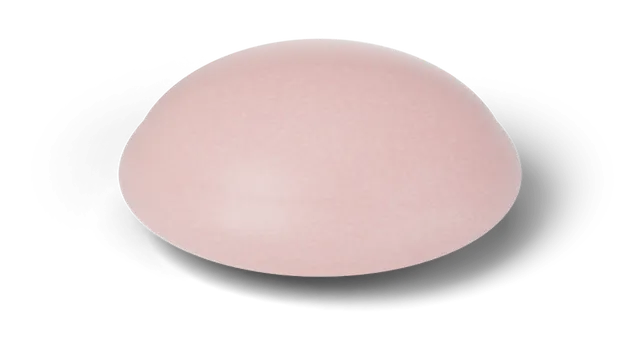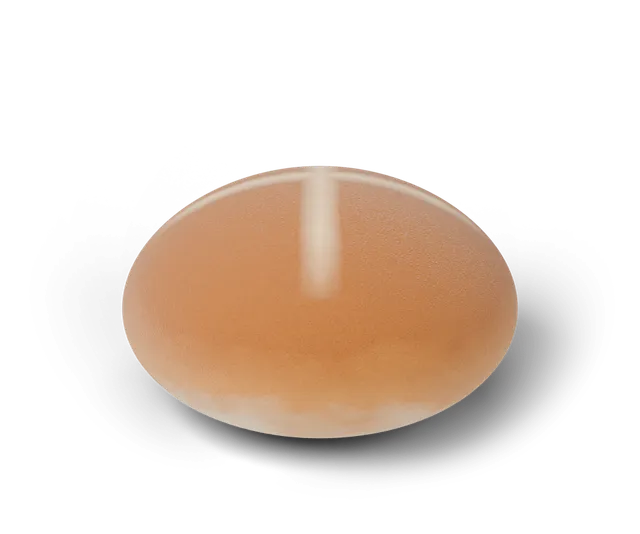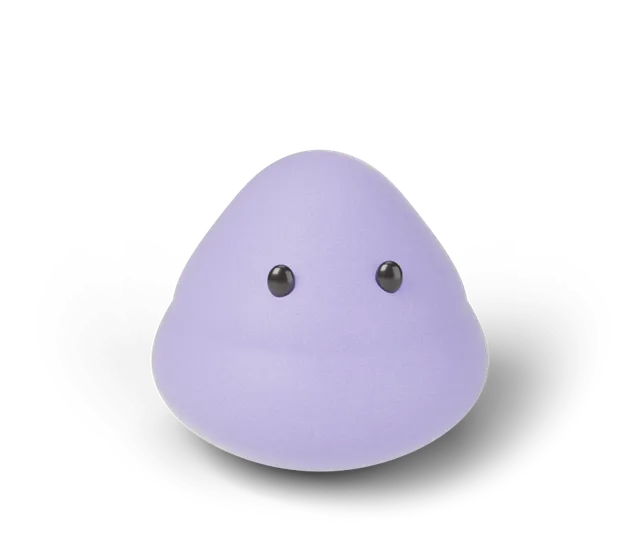
The Squooshlet designer is a free tool in your browser for making your own soft 3D squishy. You pick a shape (bun, mochi or jelly), a finish (classic, sunset gradient, glitter or glow, plus a pumpkin finish in October), a color pair and one of four faces. Then give it a name of up to 24 characters and press it to see how it moves. Your design lives in a link you can copy, and you can save it as an image or download it as a free 3D file. It is a game on a 3D simulation (CG), not a product you can order.
What can I change in the designer?
There are five things to change, and each one shows up on the soft shape straight away.
The shape sets how the squishy moves when you press it: the bun rises slowly, the mochi rises softly and the jelly bounces (the three shapes compared goes through them). The finish sets how it looks: classic, sunset gradient, glitter or glow, and a pumpkin finish that shows up in October. There are seven color pairs, or you can keep the shape's own colors; the sunset gradient and pumpkin finishes bring their own colors. The face can be dots, sleepy, wink or blush, or switched off. Only the bun starts with its face on; for the mochi or the jelly, switch the face on first, because the face styles show only while it is on. The name can be up to 24 characters and appears above the shape. It keeps English letters, numbers, spaces and a few marks (period, apostrophe, hyphen, underscore); any other character, such as an emoji or an accented letter, is dropped as you type.
If you would rather start from a surprise, tap "Surprise me". It picks a shape, a finish, a color pair and a face at random, never the design you already have, and leaves your name alone. Tap it again as often as you like and keep the one you like. On a phone the soft shape stays pinned at the top of the screen while you scroll through the options, so you always see what a change does.
Press and hold the shape (or hold Space or Enter with the keyboard) to see how your design moves. Everything is the same simulation the Daily Squish uses.
| Setting | Choices |
|---|---|
| Shape | Bun, mochi, jelly |
| Finish | Classic, sunset gradient, glitter, glow (pumpkin in October) |
| Colors | Seven color pairs, or the shape's own (not for sunset gradient or pumpkin) |
| Face | Dots, sleepy, wink, blush, or none |
| Name | Up to 24 characters |
How do I share or keep my design?
The whole design is stored in the link itself, so there is nothing to sign up for and your design is not sent anywhere. Copy the link and anyone who opens it sees your design on their own screen. You can also save the design as a 1080 by 1350 image with its name and a simulation (CG) label, or download it as an .obj 3D file with its colors, made on your device and free for personal use. On a phone or another device with a share sheet a Share button also appears, and if the sheet cannot open the page copies the link instead. If your browser will not let the page copy, the link box is selected for you and the note says to press Ctrl+C (Cmd+C on a Mac).
The short video below shows five designs being made, then the 3D file step.
What can I do with the 3D file?
The .obj file holds your squishy as it looks right now, with its colors stored per point. Blender, MeshLab and most 3D viewers can open it, for example File, then Import, then Wavefront in Blender. It has no textures or map, and it is not made for printing, so treat it as a keepsake or a starting point for your own 3D work.
The file header says it is a 3D simulation (CG) export and a game cosmetic. Packs of cleaned-up models are only an idea for later.
Are the designs real squishy toys?
No. Every design is a 3D simulation (CG) made in the game, so there is no real item behind it. If you want to know how the soft shapes work, read how a squishy simulator works. To see your finds in a book, look at the collection, and for a new challenge each day, try the Daily Squish.
Questions, answered
Is the Squooshlet designer free?
Yes. It is free in your browser, with no account.
Where is my design saved?
In the link only. Copy the link to keep it. The page does not store or send your design, so a design you do not copy is gone when you close the tab.
Can I design a squishy for the Daily Squish?
Not yet. The designer makes your own shape to press and share; the Daily Squish uses the day's shape and finish from the game.
How do I open my 3D file?
Download it from the designer, then open it in Blender with File, Import, Wavefront (.obj), or in any 3D viewer that reads .obj files. The colors are stored per point.
Will a pumpkin design still open after October?
Yes. A link that uses the pumpkin finish opens with that finish at any time of year. The pumpkin finish only shows up in the finish buttons during October.
If I change my design, does the link change too?
Yes. The link updates as you pick things, so copy it again after your last change. A link you copied earlier keeps the design it had at that moment.
Can my squishy's name use any letters?
The name keeps English letters, numbers, spaces, periods, apostrophes, hyphens and underscores, up to 24 characters. Other characters, such as emoji, accents or non-Latin letters, are dropped as you type.